Top Internet Choices of 2025: Broadband or Wi‑Fi? Expert Insights

Top Internet Choices of 2025: Broadband or Wi‑Fi? Expert Insights

15th November 2025

Share Icon
First section content

Introduction: Top Internet Choices of 2025 - Broadband or Wi‑Fi?

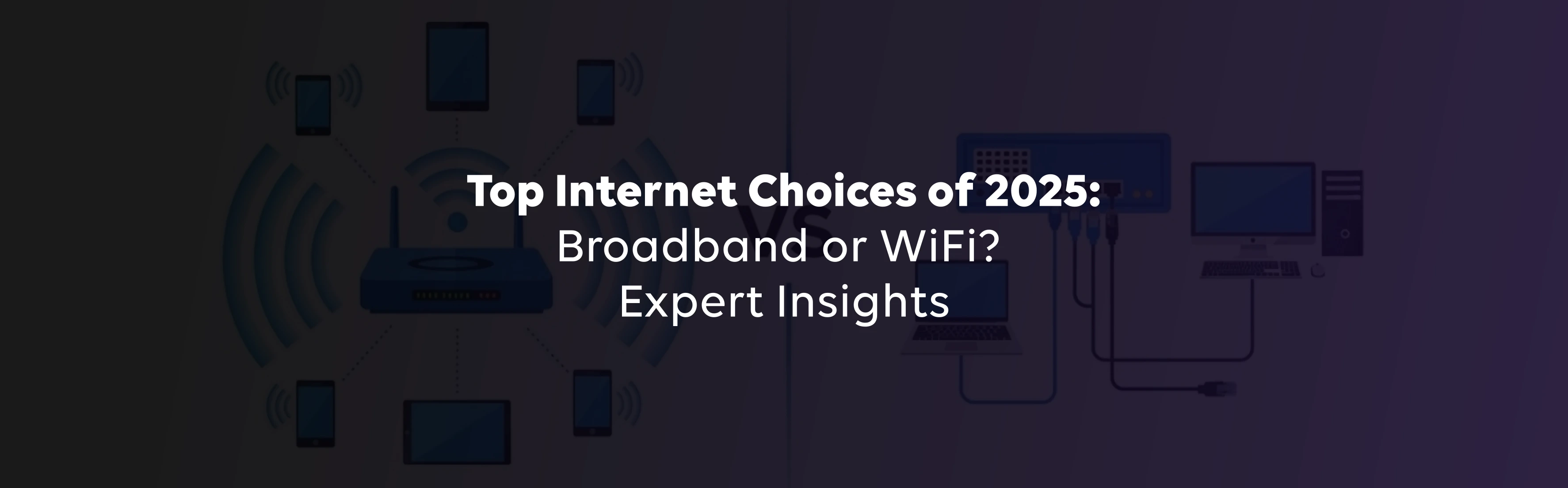
People often use the terms broadband and Wi‑Fi interchangeably, but they describe two different parts of your connection. Broadband is the high‑capacity pipeline that brings the internet into your home-via fiber, cable, DSL or fixed wireless-while Wi‑Fi is the wireless technology that lets your devices access that pipeline.

As more of us work, stream, and game from home in 2025, understanding the strengths and limitations of each helps you choose the right option. This guide compares technologies, covers speed requirements for streaming and gaming, explains why Wi‑Fi slows down and offers practical tips for choosing the best broadband and Wi‑Fi setup for your household.

What is Broadband? How Does it Work and Why is it the Fastest?

Broadband refers to any high‑capacity internet connection that transmits multiple signals at once. It includes DSL, cable and fiber. Unlike dial‑up's single channel, broadband uses multiple channels for higher speeds. Fiber sends data as pulses of light through glass fibres, delivering symmetrical upload/download speeds and resisting electromagnetic interference. Cable and DSL use copper, which shares bandwidth with neighbours and loses speed over distance.

What is Wi‑Fi and How Does it Work?

Wi‑Fi is the technology that wirelessly connects your devices to the router. It sends data over the 2.4 GHz and 5 GHz bands, with the lower band offering better range and the higher band offering faster speeds. Newer Wi‑Fi 6/6E routers use features like OFDMA and MU‑MIMO to handle more devices. Think of broadband as the highway into your home and Wi‑Fi as the car that carries your data.

Which is Faster: Broadband or Wi‑Fi?

Fiber broadband can deliver 1-10 Gbps, while cable and DSL range from 25 Mbps to 500 Mbps. Wi‑Fi refers to your local wireless network. Wi‑Fi 6 and 6E routers can match gigabit fiber speeds in ideal conditions, but walls, distance and interference reduce performance. Your wired broadband sets the maximum speed; Wi‑Fi adds variable conditions. Use the latest router and place it centrally to avoid bottlenecks.

Buy Tataplay Fiber with exciting benefits!

Use Current Location

Which Internet is Best for Homes in 2025?

Deciding which internet connection is best for home depends on your household's size and activities.

  • Small households can get by on 50-100 Mbps cable or DSL paired with a dual‑band Wi‑Fi 6 router.
  • Mid‑sized families (3-5 users) should consider 200-500 Mbps fiber or cable with a tri‑band Wi‑Fi 6/6E router.
  • Heavy users and large homes need 500 Mbps-1 Gbps fiber broadband with mesh or Wi‑Fi 7.

Which Internet Works Best for OTT Streaming and 4K/8K Video in 2025?

Netflix recommends 3 Mbps for HD and 15 Mbps for 4K, while YouTube suggests 20 Mbps for 4K and 100 Mbps for 8K. Multiply these numbers by the number of simultaneous streams in your home-. Fiber broadband meets these requirements easily; cable and DSL may falter under heavy use. Position your router centrally and use the less congested 5 GHz or 6 GHz band.

Is Broadband or Wi‑Fi Better for Online Gaming in 2025?

Competitive gaming demands low latency. Fiber broadband offers ping times under 20 ms, while cable and DSL often exceed 50 ms during busy periods. Wi‑Fi adds extra delay, so plug your console or PC directly into the router via Ethernet for the best experience. If you game over Wi‑Fi, use the 5 GHz or 6 GHz band and enable QoS to prioritise gaming packets.

Why Does Wi‑Fi Slow Down at Home?

Thick walls, metal appliances, neighbouring routers on the same channel and electronics like microwaves or cordless phones all weaken Wi‑Fi signals. Improve speeds by putting your router in a central, elevated location, switching to a quieter channel and keeping it away from metal and microwaves. A tri‑band router or mesh system can further reduce interference.

Conclusion: Optimise Your Connection in 2025

There's no battle between broadband and Wi‑Fi. Use fiber when available because its buried cables resist interference. Cable, DSL and fixed wireless remain useful where fiber isn't available. Pair your broadband plan with a modern router and you'll enjoy smoother streaming, gaming and remote work.

FAQ Section

Frequently Asked Questions

Does Wi‑Fi 6 or Wi‑Fi 6E make a difference in real‑world speed?

Yes. Wi‑Fi 6 and 6E introduce OFDMA and MU‑MIMO, enabling devices to share channels efficiently. Wi‑Fi 6E adds a 6 GHz band for less interference. These upgrades boost throughput and reduce congestion, but your broadband speed remains the ceiling.

Can broadband work without a router?

You could connect one device to a modem via Ethernet, but a router lets multiple devices share your broadband connection and provides Wi‑Fi. Most homes need a router for convenience and to support many devices.

What factors slow down Wi‑Fi inside a home?

Walls, metal appliances, other routers and household electronics like microwaves weaken Wi‑Fi signals. To fix it, place your router centrally and high, switch channels and upgrade to a tri‑band or mesh system if needed.

Is fiber broadband always better than traditional broadband?

Fiber delivers the fastest speeds and lowest latency. But cable and DSL still serve many households, and fixed wireless is improving. Weigh availability, cost and speed needs before deciding.

Request callback